If you’re running a manufacturing shop floor or just getting into high-volume precision machining, the drilling and tapping center you pick can make or break your production timeline. But here’s the thing most new operators overlook: even the best machine in the world is useless if it can’t talk to the rest of your setup. Whether you’re sending part programs, pulling real-time run data, or syncing tools with your inventory, the communication interface between your drilling and tapping center and your other gear is make-or-break. As a drilling and tapping center supplier, I’ve spent years walking shop managers through this stuff, and I’ve seen way too many people grab a machine without thinking about how it will connect. Today, let’s break down the actual communication interfaces you’ll run into, what each one does, and how to pick the right one for your needs. Drilling and tapping center
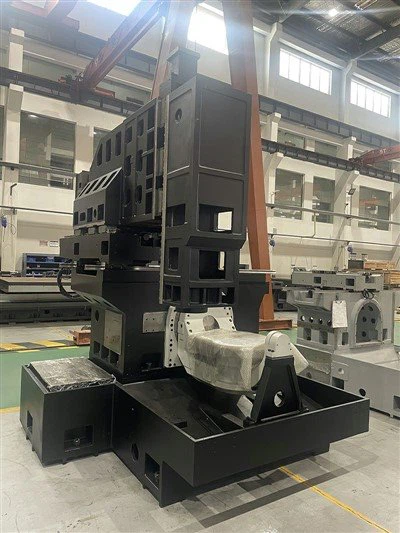
First up, let’s get the basics out of the way: a drilling and tapping center’s main job is to drill holes and tap threads into parts, usually for things like automotive brackets, aerospace fasteners, or consumer electronics enclosures. To do that, it needs two-way communication: one side sends the machining program (the G-code that tells it where to move, how fast, and when to drill/tap), and the other side sends back data—like cycle time, tool wear alerts, or if there’s a part jam. The interface is the physical and digital bridge between the machine and your other systems, and picking the wrong one can lead to dropped programs, delayed production, or even machine crashes.
Let’s start with the most common one you’ll see on every entry-level to mid-range drilling and tapping center: USB. This is the simplest, most user-friendly interface out there, and it’s the one I recommend for small shops or job shops that run a mix of small batches and custom parts. Back in the day, we used to send programs on floppy disks (yes, really), but USB made that a thing of the past. Most modern drilling and tapping centers come with a built-in USB port on the control panel—usually a standard Type-A port, sometimes a Type-C for newer machines. Here’s how it works: you save your G-code file onto a USB drive, plug it into the machine, load the program in 20 seconds, and you’re good to go. No weird cables, no need for a fancy network setup.
The catch with USB is that it’s mostly a one-time transfer tool. You can’t pull real-time data from the machine through USB—think cycle count, tool life, or error codes. It’s great for loading programs, but if you want to sync that machine data with your ERP (enterprise resource planning) or MES (manufacturing execution system), USB won’t cut it. That said, for shops that don’t need constant data tracking, it’s perfect. I worked with a small job shop last year that runs 50 different custom jobs a month; they use USB exclusively, and it works for their needs because they don’t run long enough batches to justify a network setup.
Next, Ethernet—by far the most versatile and widely used interface for mid-range to industrial drilling and tapping centers. If your shop has multiple machines, a central control room, or you need to connect to your inventory system, Ethernet is non-negotiable. Ethernet lets you send G-code files wirelessly? Wait, no—wait, Ethernet is usually wired, but most modern machines support Wi-Fi too, which we’ll get to in a sec. Ethernet works over a local area network (LAN), so you can send programs to your drilling and tapping center directly from your office computer, no USB drive required. You can even set it up so that when your design team finishes a new part, the G-code is automatically sent to the machine the second it’s saved, cutting out the middle step of copying to a USB drive.
The big win with Ethernet is that it supports bi-directional communication. That means you can pull real-time data from every drilling and tapping center on your shop floor, track how many parts each machine is running, get alerts if a tool is wearing out, or even pause a job remotely if there’s a quality issue. We recently installed a drilling and tapping center for a automotive parts shop that uses Ethernet to sync with their MES; now they can track production rates in real time and adjust batches without having to walk over to each machine. The only thing to watch with Ethernet is making sure your shop’s network is set up correctly—no random ports, secure access so no one can mess with your G-code files, and enough bandwidth to handle multiple machines at once.
Speaking of Wi-Fi, that’s a close cousin to Ethernet, and it’s blowing up right now, especially for smaller shops that don’t want to run cable all over their floor. Wi-Fi (usually 802.11n or 802.11ac, the standard versions you’ll see) lets your drilling and tapping center connect to your shop’s wireless network, same as your phone or laptop. The pros here are obvious: no cable to trip over, you can move the machine around your shop if you rearrange the floor, and you don’t have to pay an electrician to run Ethernet cable. For shops with 3-5 machines, Wi-Fi is totally reliable—we’ve got dozens of customers using it and haven’t had major issues with lag or dropped connections.
The downside? It’s not as stable as wired Ethernet, especially if your shop has a lot of other devices using the same network—like barcode scanners, tablet computers, or even HVAC systems. If you have 10+ machines all on the same Wi-Fi, you might run into latency, which can cause the machine to drop a program or delay a command. For high-volume production runs where every second counts, wired Ethernet is still better, but for smaller shops or job shops, Wi-Fi is a game-changer. I’ve had customers tell me it cut their setup time by 30% because they don’t have to plug and unplug USB drives anymore.
Now, let’s talk about two older interfaces that you might run into if you’re looking at used drilling and tapping centers, or older machines in a shop floor: RS-232 and RS-485. These are serial interfaces, basically the old-school way to connect machines before Ethernet and Wi-Fi were common. RS-232 is the one you’ll see on machines built before 2010, and it uses a 9-pin serial cable to connect to a computer. It works, but it’s super slow—transferring a 1MB G-code file takes about a minute, compared to 2 seconds over Ethernet. Also, the cable is short—only a few feet long—so you can’t have the machine far from your computer. RS-485 is a step up, it’s designed for longer distances, up to 4000 feet, so you can connect multiple machines to one serial port, but it’s still way less reliable than Ethernet.
I usually advise against buying a new drilling and tapping center that only has RS-232 or RS-485. They’re end-of-life, meaning manufacturers don’t support them anymore, and you can’t get adapters that work well for modern software. If you already have an old machine with serial ports, you can get converters to turn serial into Ethernet or USB, but it’s a bit of a hassle. Stick to machines that have at least one Ethernet port and maybe a USB port, even if you don’t need Wi-Fi right now—it’ll save you headaches later.
Wait, there’s another one that’s becoming more popular for smart factories: Industrial Ethernet, sometimes called PROFINET or EtherNet/IP. This isn’t just regular Ethernet—It’s built specifically for industrial machines, so it’s more secure, faster, and designed to handle the tight timing required for machining operations. PROFINET, for example, lets you sync your drilling and tapping center with robots, part loaders, and other automation gear, so you can have a fully automated cell where a robot loads a part, the machine drills and taps it, and then the robot unloads it—all without anyone touching the machine. We’ve built several automated cells for aerospace clients using PROFINET, and it’s been a game-changer for reducing labor costs and increasing output.
EtherNet/IP is another common one, it’s similar but uses a different protocol, and it’s great for connecting to Allen-Bradley or Siemens PLCs, which are super common in manufacturing. If you’re planning to expand your shop with automation down the line, look for a drilling and tapping center that supports industrial Ethernet—you won’t have to retrofit it later, which saves you a ton of money.
Let’s talk about what to look for when choosing these interfaces, because it’s not just about picking the fanciest one. First, think about your shop size. If you’re a small job shop with 1-2 machines, USB or even Wi-Fi is totally fine. You don’t need to track every part’s data, and you only run a few programs at a time. If you’re a mid-sized shop with 5-10 machines that uses an MES or ERP, go with Ethernet or industrial Ethernet—you’ll want to track that real-time data and sync programs across your machines. If you’re planning automation, go for industrial Ethernet with support for PROFINET or EtherNet/IP.
Also, think about future expansion. Even if you don’t need to connect to your ERP right now, it’s way cheaper to buy a machine with Ethernet than to retrofit a USB-only machine later. I’ve had customers who bought a cheap USB-only drilling and tapping center and then had to spend $1500+ to add an Ethernet adapter, which ended up being more than the difference between a mid-range machine with Ethernet.
Another thing: security. A lot of shop managers forget that communication interfaces can be a weak point for cyberattacks. If you’re using Ethernet, make sure the network is segmented—separate your shop floor machines from your office computers so if someone hacks a laptop, they can’t get into your machine’s G-code programs. Wi-Fi is convenient, but make sure it’s password-protected and uses WPA2 or WPA3 encryption, not the old WEP which is easy to hack.
Now, let’s get real with a few common mistakes I see. One shop I worked with bought a drilling and tapping center that only had Wi-Fi, and they put it in a corner of their shop where the Wi-Fi signal was weak. They had constant dropped programs, which caused a lot of scrap parts. The fix was simple: add a Wi-Fi extender, but it could’ve been avoided if they checked the signal strength before installing. Another shop bought a cheap used machine with only RS-232, and they had to replace a serial cable every 6 months because they moved the machine around, and the old cables can’t handle that. They ended up converting it to USB, but it was a hassle.
At the end of the day, the communication interface for your drilling and tapping center isn’t just a “feature”—it’s something that will affect your productivity, your scrap rate, and your ability to grow your business. If you’re in the market for a new drilling and tapping center, don’t just look at the spindle speed or the number of tools. Ask about the communication options: does it have USB, Ethernet, Wi-Fi? Can it connect to your existing MES or ERP? Does it support industrial Ethernet if you want to automate later?
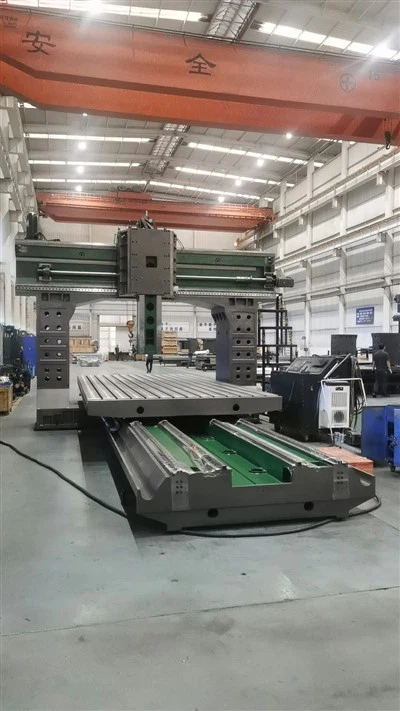
If you’re not sure which interface is right for your shop, reach out—we’re here to help. We’ve worked with hundreds of shops, from small job shops to large aerospace manufacturers, and we can walk you through the options, show you how each interface will work for your specific parts and production needs, and help you pick a drilling and tapping center that fits your budget and your goals. Don’t waste time with a machine that can’t talk to your shop floor—let’s connect and get you set up with the right solution today.
T Structure Hmc Machine References
- Manufacturing Extension Partnership. (2022). Industrial Machine Communication Interfaces: A Guide for Small and Medium Manufacturers. National Institute of Standards and Technology.
- VDMA. (2023). Drilling and Tapping Center Integration: Best Practices for Shop Floor Connectivity. German Engineering Federation.
- SME. (2021). Smart Factory Communication Protocols for CNC Machining. Society of Manufacturing Engineers.
- Rockwell Automation. (2022). EtherNet/IP for Machining Operations: Performance and Security Considerations. Rockwell Automation Publications.
Smartech Machinery & Equipment Co., Ltd.
As one of the most professional tapping center machine manufacturers and suppliers in China, we also support customized service. Please rest assured to buy bulk tapping center machine made in China here from our factory. Contact us for more details.
Address: Room 2832, Changping Commercial Mansion, Shihua Road, Futian Free Trade Zone, Shenzhen, China
E-mail: smartech@smartechcnc.cn
WebSite: https://www.smartech-cnc.com/
